Outlook: A Tall, Stylish Display Font for Modern Editorial Design
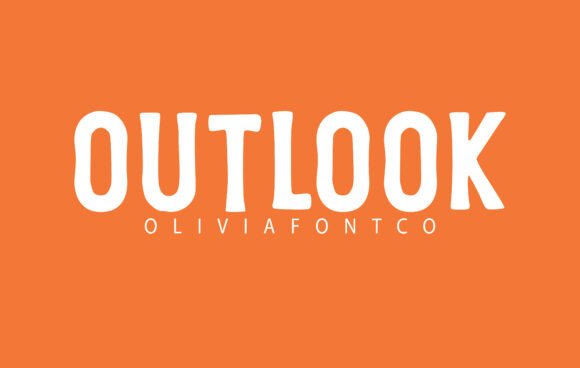
Choosing the right font for a project can feel like finding the perfect accent piece in a well-curated outfit—subtle, yet essential. Recently, I found myself working on a lifestyle blog redesign, and Outlook emerged as an unexpected gem. As a tall, stylish display font with subtle retro undertones, Outlook brought a quiet confidence to the header, setting the tone for the entire publication.
Outlook for Blog Headers and Lifestyle Branding
Outlook’s slightly stretched letterforms and clean lines made it ideal for the blog’s new header. The font felt modern yet nostalgic, a balance that resonated well with the brand’s aesthetic. Unlike overly ornate display fonts, Outlook offered clarity without sacrificing style. It was especially effective when paired with a clean sans serif font for navigation and body copy, ensuring readability while maintaining visual hierarchy.
I tested Outlook in several variations, including bold and regular weights, and found that it performed exceptionally well in headlines and section titles. Its tall proportions gave the text a commanding presence, making it perfect for grabbing attention without overwhelming the reader. For a lifestyle blog targeting a millennial audience, this blend of elegance and approachability was exactly what the design needed.
Outlook in Recipe Ebooks and Printable Guides
As I moved from digital layouts to print-based projects, Outlook proved equally versatile. When designing a recipe ebook, I used it for chapter titles and pull quotes. The retro undertones of the font added a warm, inviting feel that complemented the content beautifully. The clean lines ensured that even in smaller sizes, the text remained legible, which is crucial for print materials.
For printable guides, such as a wellness planner or a cooking worksheet, Outlook worked well as a decorative element. Used sparingly, it helped break up dense blocks of text and emphasized key sections without distracting from the overall layout. The font’s subtle character allowed it to stand out just enough to draw the eye, making it a great choice for editorial accents.
Outlook for Digital Magazines and Newsletter Graphics
In a recent digital magazine layout, I experimented with Outlook for cover text and feature titles. Its slightly stretched forms gave the publication a fresh, contemporary look, while the retro undertones added a touch of personality. I found that it worked particularly well in combination with a modern serif font for body text, creating a balanced and professional appearance.
When designing newsletter graphics, Outlook became a go-to for headline treatments. It added visual interest without being too flashy, and its clean structure made it easy to read at a glance. Whether used for a monthly update or a promotional graphic, Outlook consistently delivered a polished, professional result.
Readability Considerations and Practical Use
While Outlook excels in display roles, it’s important to note that it may not be suitable for long-form reading or small text. Its expressive nature makes it better suited for titles, subtitles, pull quotes, and decorative elements rather than dense paragraphs or body copy. This aligns well with its classification as a display font, and it’s best used to enhance, not replace, more readable typefaces.
When considering Outlook for a project, I recommend checking the available styles, alternates, and ligatures. These features can add depth and versatility to your designs. Additionally, verifying multilingual support and file formats ensures compatibility across platforms, from web design to print production.
For those looking to integrate Outlook into their editorial workflow, pairing it with a complementary serif or sans serif font will help maintain consistency and improve overall readability. Whether you’re crafting a digital magazine, redesigning a blog, or creating a printable guide, Outlook offers a refined, retro-inspired option that feels both current and timeless.